

Managing import documentation manually is one of the most time-consuming parts of international trade. From commercial invoices and packing lists to ISF filings and entry summaries, the average U.S. import shipment requires between 10 and 15 individual documents. Errors in any one of them can trigger CBP holds, penalties, or costly delays at the port. The good news is that automation technology, especially AI-powered platforms, now makes it possible to eliminate most of the manual work. This guide walks you through exactly how to automate your import documentation and customs paperwork, step by step.
What Is Customs Documentation Automation?
Customs documentation automation is the use of technology to extract data from trade documents, validate it against regulatory requirements, and prepare customs filings with minimal manual intervention. Instead of rekeying data from a commercial invoice into a customs declaration by hand, an automated system pulls the relevant fields, cross-references tariff codes and compliance rules, and generates the filing electronically.
The Automated Commercial Environment (ACE) is the United States's centralized digital system for processing imports and exports. All entry data, manifests, and Partner Government Agency filings now flow through ACE, making electronic document handling a baseline requirement rather than an optional upgrade. Platforms like Importal's import services build on top of this infrastructure, adding AI-powered classification, validation, and compliance checks before anything reaches CBP.
Key Import Documents You Can Automate
Not every piece of import paperwork requires manual attention. Here are the core documents that modern automation handles effectively:
Commercial Invoice and Packing List
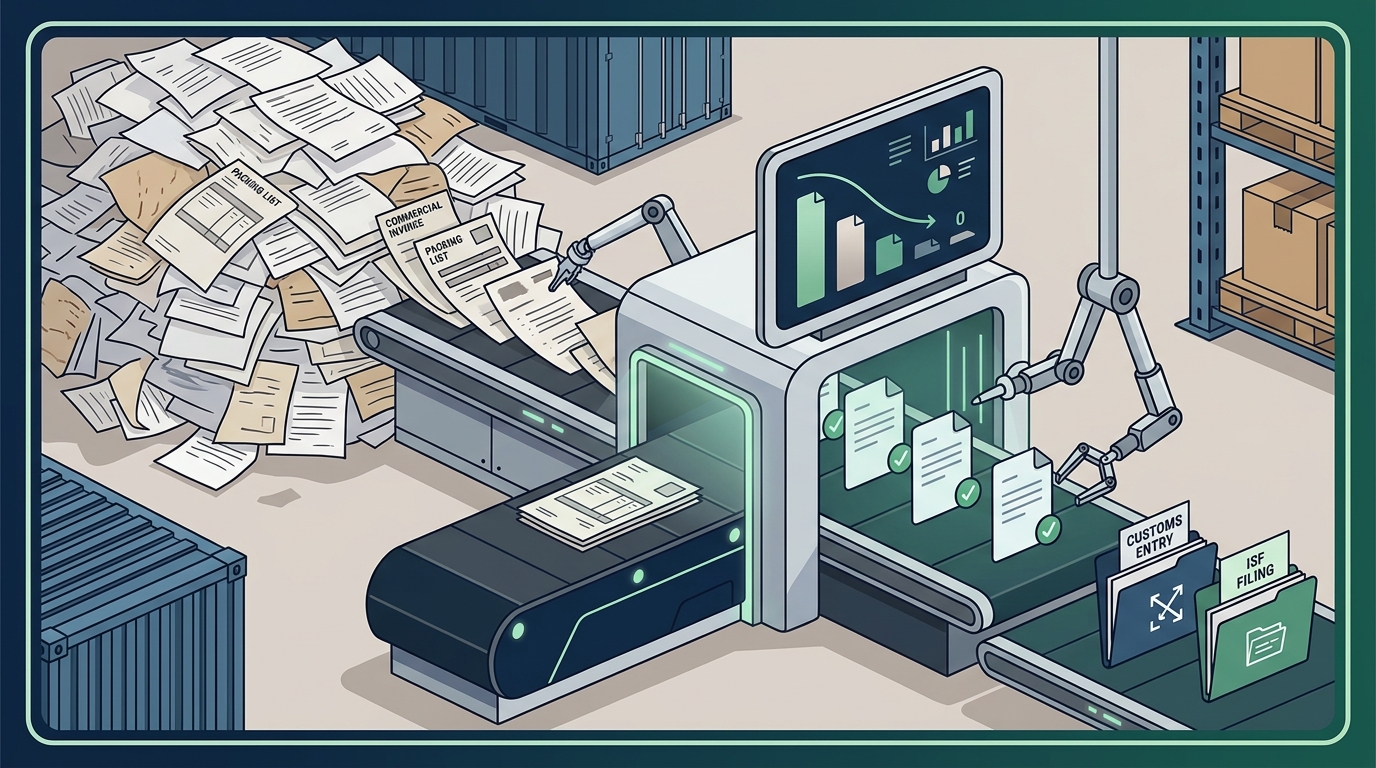
A commercial invoice is the foundational trade document that declares the value, description, and origin of imported goods. AI document processing tools can extract line-item details from invoices in PDF, image, or structured data formats and map them directly to entry summary fields. The packing list, which details weight, dimensions, and carton counts, follows the same automated extraction workflow.
ISF Filing and Entry Summary
The Importer Security Filing (ISF), commonly called the "10+2 filing," must be submitted at least 24 hours before cargo is loaded onto a vessel bound for the United States. Automation platforms pull shipper, consignee, and HTS data from your purchase orders or ERP system to generate the ISF without manual data entry. The entry summary (CBP Form 7501) is then prepared using the same validated dataset.
Certificates of Origin and Compliance Documents
Depending on your product and sourcing country, you may need certificates of origin for free trade agreement qualification, phytosanitary certificates, or FDA prior notices. Automated workflows flag which documents are required based on the HTS code and country of origin, reducing the risk of missing a filing.
Manual vs. Automated Documentation: A Comparison
The difference between manual and automated customs paperwork is measurable. Here is how the two approaches compare across key performance areas:
| Factor | Manual Process | Automated Process |
|---|---|---|
| Processing time per shipment | 45-90 minutes | 5-15 minutes |
| Data entry error rate | 5-10% | Less than 1% |
| Cost per document | $5-$10 | $0.05-$0.10 |
| Compliance check coverage | Spot checks only | 100% of filings validated |
| Audit trail | Fragmented paper records | Full digital trail linked to source documents |
| Scalability | Requires more staff | Handles volume increases without added headcount |
Organizations processing hundreds of international shipments per month typically see measurable returns from reduced processing time, fewer customs holds, and better capture of preferential duty rates. For a deeper look at duty optimization, see how first sale programs unlock hidden savings.
5 Steps to Automate Your Import Paperwork
Step 1: Audit Your Current Document Workflow
Before selecting any tool, map every document your team touches during an import. Identify where data is rekeyed, where errors occur most frequently, and which steps cause the longest delays. This audit becomes your automation roadmap.
Step 2: Centralize Your Product and Supplier Data
Automation depends on clean, structured master data. Build a centralized product library that stores HTS codes, country of origin, unit values, and regulatory flags for each SKU. When a new shipment arrives, the system pulls from this library instead of starting from scratch.
Step 3: Connect Your Systems via API
The most effective automation connects your ERP, warehouse management system, or transportation management system to your customs filing platform through an API. Importal's API integration enables data to flow directly from your order management system into customs filings without manual handoffs. This eliminates duplicate data entry and ensures consistency across documents.
Step 4: Enable AI-Powered Classification and Validation
HTS misclassification is one of the leading causes of CBP penalties and delayed shipments. AI classification tools assign tariff codes based on product descriptions, images, and historical data, then validate those codes against the current tariff schedule. Importal's compliance tools run these checks automatically before any entry is filed.
Step 5: Implement Exception-Based Review
The goal is not to remove humans from the process entirely. It is to shift your team from reviewing every document to reviewing only flagged exceptions. Automated systems handle routine filings while your compliance staff focuses on unusual values, new product classifications, or regulatory changes.
How AI Is Changing Customs Document Processing
Artificial intelligence has moved customs document automation beyond simple template matching. Modern AI platforms use natural language processing and machine learning to extract data from unstructured documents, including handwritten notes, inconsistent invoice formats, and multilingual paperwork.
AI-driven compliance checks automatically flag inconsistencies and validate documents against current regulations. This is especially critical in today's tariff environment, where Section 232 rates, Chapter 99 codes, and trade agreement rules change frequently. Importal's platform tracks every regulatory change in real time and surfaces updates directly to licensed brokers during entry filing, catching errors before they reach CBP.
A compliance automation platform is a software system that monitors regulatory changes, validates trade data, and applies updated rules to customs filings automatically. This replaces the manual process of tracking CBP's CSMS messages, Federal Register notices, and executive orders by hand.
What to Look for in an Automation Platform
Not all customs automation platforms are created equal. When evaluating options, prioritize these capabilities:
- Licensed customs brokerage built in: A platform that combines automation with licensed brokers ensures your filings carry legal accountability. Importal is the first AI-powered licensed U.S. customs brokerage, meaning its technology and broker expertise work together on every entry.
- Real-time tariff and regulatory updates: Your platform must reflect current duty rates, trade agreement rules, and CBP requirements the moment they change.
- API connectivity: Look for platforms that integrate with your existing ERP, WMS, or TMS rather than requiring you to change your tech stack.
- Full audit trail: Every data point in a customs filing should trace back to its source document for compliance and CBP review.
- Duty calculation and mitigation: The best platforms do not just file paperwork. They identify savings through duty calculation and tariff optimization.
Key Takeaways
- Customs documentation automation reduces processing time per shipment from up to 90 minutes to under 15 minutes.
- AI-powered extraction can handle invoices, packing lists, and compliance documents with error rates below 1%.
- Centralizing product data in a structured library is the single most important step before automating.
- API integration between your business systems and your customs platform eliminates duplicate data entry.
- Exception-based review lets compliance staff focus on judgment calls rather than routine data entry.
- Real-time regulatory tracking prevents costly misclassification as tariff rules shift.
- Choosing a platform with licensed customs brokerage built in ensures your automated filings carry legal accountability.
Frequently Asked Questions
What documents can be automated in the import process?
The most commonly automated import documents include commercial invoices, packing lists, ISF filings, entry summaries (CBP Form 7501), bills of lading, certificates of origin, and Partner Government Agency submissions. Automation platforms extract data from these source documents, validate it, and prepare filings electronically.
How much does customs document automation cost?
Costs vary by platform and shipment volume. Industry data shows that automated document processing can reduce per-document costs from $5-$10 with manual processing down to $0.05-$0.10 using AI-powered solutions. Most platforms offer pricing based on transaction volume or monthly subscription.
Can automation handle HTS code classification?
Yes. AI-powered classification tools assign HTS codes using product descriptions, material compositions, images, and historical entry data. These tools validate codes against the current Harmonized Tariff Schedule and flag potential issues before filing. Importal's platform provides this as part of its customs clearance services.
Do I still need a customs broker if I automate?
Yes. U.S. law requires a licensed customs broker to file entries on behalf of importers. Automation does not replace the broker; it makes the broker more effective by providing accurate, validated data at the point of filing. The best approach is a platform like Importal that combines automation technology with licensed brokerage.
How does automation improve compliance with CBP?
Automated systems validate every filing against current tariff schedules, trade agreement rules, and CBP requirements before submission. They create a complete audit trail linking each data point to its source document, which is critical during CBP reviews. Manual processes rely on spot checks and are far more prone to errors that trigger holds or penalties.
Can automated systems integrate with my ERP or TMS?
Most modern customs automation platforms offer API or EDI connectivity to common ERP systems like SAP and NetSuite, as well as transportation and warehouse management platforms. This integration eliminates manual data transfer between systems.
How long does it take to implement customs document automation?
Implementation timelines depend on your existing data quality and system architecture. Companies with clean, structured product data and API-ready systems can be live in weeks. Those starting from spreadsheets may need one to three months to build their product library and establish integrations.
Is my data secure with a cloud-based customs platform?
Reputable platforms operate in encrypted cloud environments with certifications such as SOC 2 and GDPR compliance. Always verify a platform's security certifications and data handling policies before onboarding sensitive trade and financial data.
Start Automating Your Import Documentation Today
Every day you spend manually processing customs paperwork is a day you lose to preventable errors, slow clearance times, and missed duty savings. Importal's AI-powered platform and licensed customs brokers handle your documentation from classification through clearance, so your team can focus on growing the business. Request a demo and see how much time and money automation puts back in your pocket.